How to Reset a Samsung Washer (and When Not To)
A Samsung washer that will not start, will not finish a cycle, or shows a code that makes no sense may respond to a simple three-minute reset. If you’re wondering how do I reset my Samsung washer, this free troubleshooting step is worth trying before you book a repair.
What a reset will not do is unblock a pump or repair a seal. Knowing the difference saves you a wasted service call in one direction and a wasted afternoon in the other.
How do you reset a Samsung Washing Machine
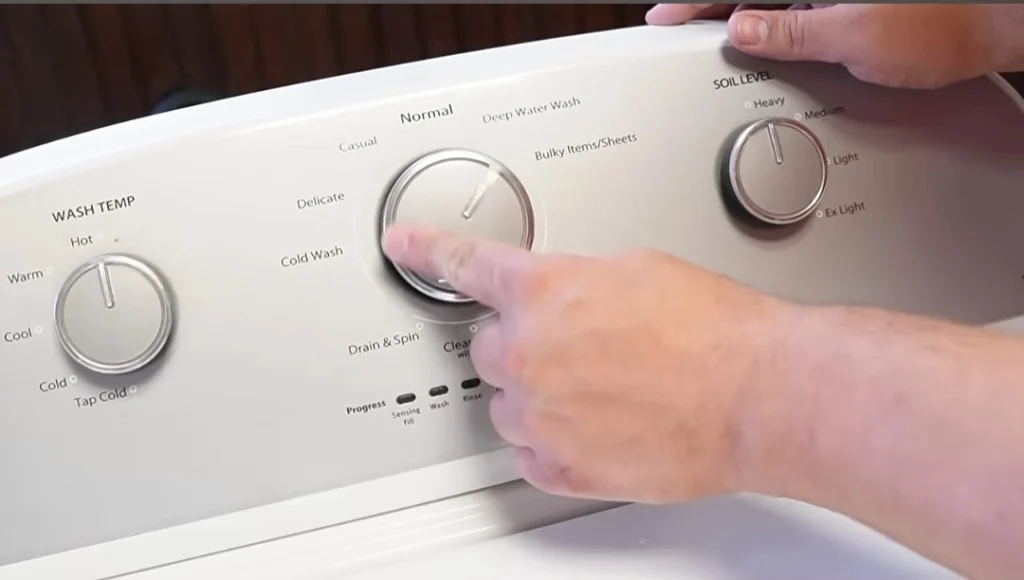
- Unplug the machine for three minutes. Not thirty seconds. The control board holds residual charge and needs time to fully discharge.
- While it is unplugged, press and hold the Start button for 5 to 10 seconds. This drains the remaining charge from the board.
- Plug it back in.
- Run a short cycle — rinse and spin is ideal — to confirm.
On many models you can also press and hold the Power button for about 5 seconds to force a soft restart without unplugging. That is worth trying first if the machine is somewhere awkward to reach behind.
What a reset actually fixes
- A stuck error code that no longer reflects a real fault
- A control panel that has stopped responding to buttons
- A cycle that will not start despite the door being shut
- Odd behaviour immediately following a power flicker
- A machine that finished a cycle but will not release the door
What a reset will not fix
Do not reset. Call instead, if you see any of these:
- Water on the floor
- A burning smell
- Grinding or scraping during spin
- A breaker that keeps tripping
- Standing water that will not drain after a full cycle
And the important one: if you are resetting weekly, that is not a machine that needs resetting. It is a board, a power supply or a sensor that is failing.
Samsung codes and whether a reset helps
| Code | Meaning | Will a reset help? |
|---|---|---|
| dE / dC | Door not registering closed | Sometimes — try it, then suspect the door lock |
| 4C / 4E | Water supply problem | No — check taps, hoses and inlet screens |
| 5C / 5E | Not draining | No — clear the pump filter |
| UE / UB | Unbalanced load | No — redistribute the load, check levelling |
| LE / 1E | Water level sensor | Sometimes |
| 3E | Motor fault | Rarely |
| Sud | Excess suds | No — switch to HE detergent, run two rinses |
Why Samsung boards need resetting more than most
Samsung builds excellent electronics, and their washer control boards are the part we replace most on that brand. That is a fair observation rather than a criticism, and owners generally already know it.
It also means a Samsung that needs frequent resets deserves a proper diagnosis rather than another reset. A board going erratic produces exactly this pattern: it works after a reset, then drifts again within days. See washer stops mid-cycle.
Local factor worth knowing
Colorado Springs sits at 6,035 feet against the Front Range, which is why summer afternoons produce fast storms and power flickers. Boards rarely fail outright from a surge — they go erratic. Since the board is already the weak point on this brand, a surge protector on the laundry circuit is genuinely worth the money here.
Common questions
How do I reset a Samsung washer?
Unplug it for three minutes, hold the Start button for 5 to 10 seconds while unplugged, then plug it back in and run a short cycle.
Why three minutes and not thirty seconds?
The control board holds residual charge. Thirty seconds often is not long enough for it to fully clear, which is why a quick unplug sometimes appears not to work.
My Samsung keeps needing a reset. Is that normal?
No. A reset after a power flicker is fine. Weekly resets mean the board, the power supply or a sensor is genuinely failing.
Will a reset clear a dE code?
Sometimes. If it returns, check nothing is caught in the door seal, then suspect the door lock assembly — typically $175 to $295 to replace.
Will a reset fix a 5E drain code?
No. That is a physical blockage or a failed pump. Clear the filter behind the panel at the bottom front. See washer not draining.
Does resetting erase my settings?
It clears the current cycle and any stored error state. Your model may return to default settings, which you can simply reselect.
Is there a factory reset for Samsung washers?
Some models have a service mode with a specific button combination, but it is model-specific and easy to get wrong. Give us your model number and we will tell you at no charge.
How do I reset a Samsung top load washer?
The same power cycle works on top loaders. Unplug the machine for three minutes, hold the Start/Pause button for 5 to 10 seconds while it is unplugged, plug it back in, and run a short rinse and spin. If the lid is locked, let it release on its own once power returns – do not force it.
How do I reset the control board on a Samsung washer?
There is no separate reset button for the board. The three-minute power cut is the board reset – it drains the residual charge the board holds, which a quick unplug does not. If the same code comes straight back after a proper power cycle, the board or one of its sensors is failing, and no reset will clear it.
Reset not holding? Call (719) 601-2233. More on this brand on our Samsung washer repair page.